Not a mockup. The actual product.
Real screens from BuildersTake. This is what you open every day.
Prepare the estimate
Structure the job the way you already work: by phase, line item, and your pricing.
Your client approves it
They get a clean, read-only view of the scope and the prices you publish. A clear yes or no, dated and recorded.
The project opens itself
Once approved, the estimate becomes a live build sheet, prepopulated into the phases you defined.
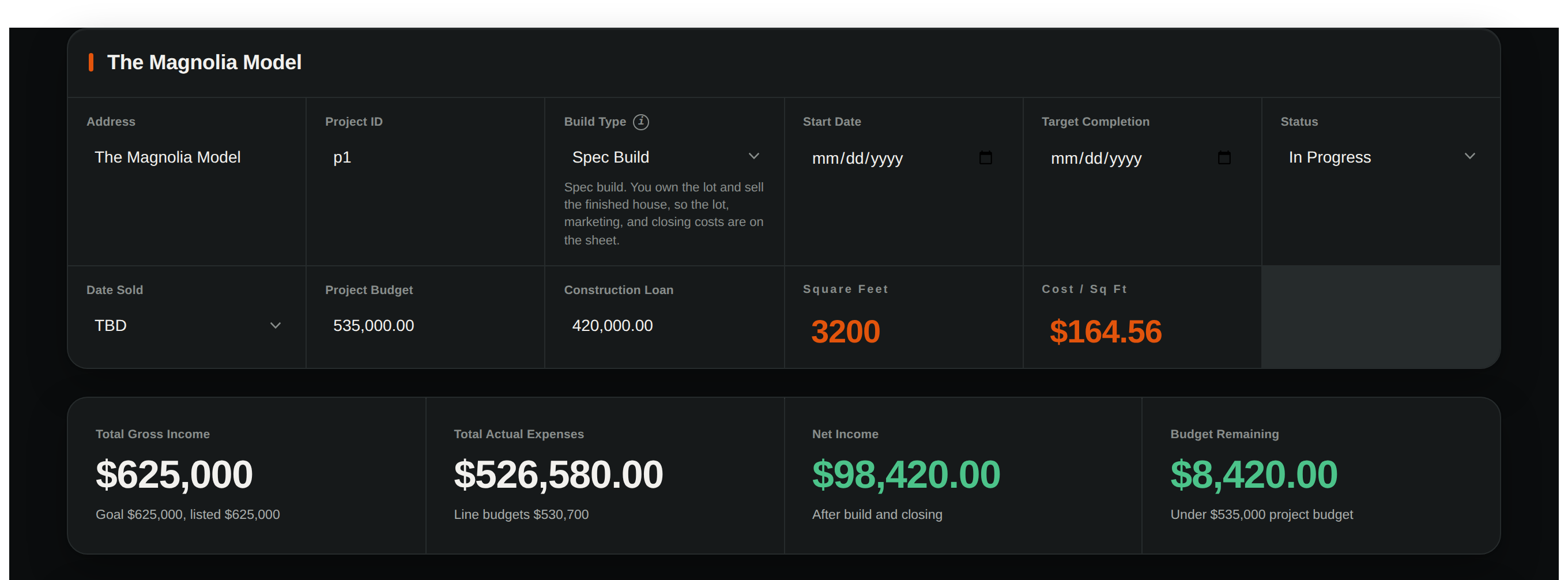
The whole build on one screen
The address, the build type, live cost per square foot, your expenses and your net income, and every phase of the job below. Always current, always yours.
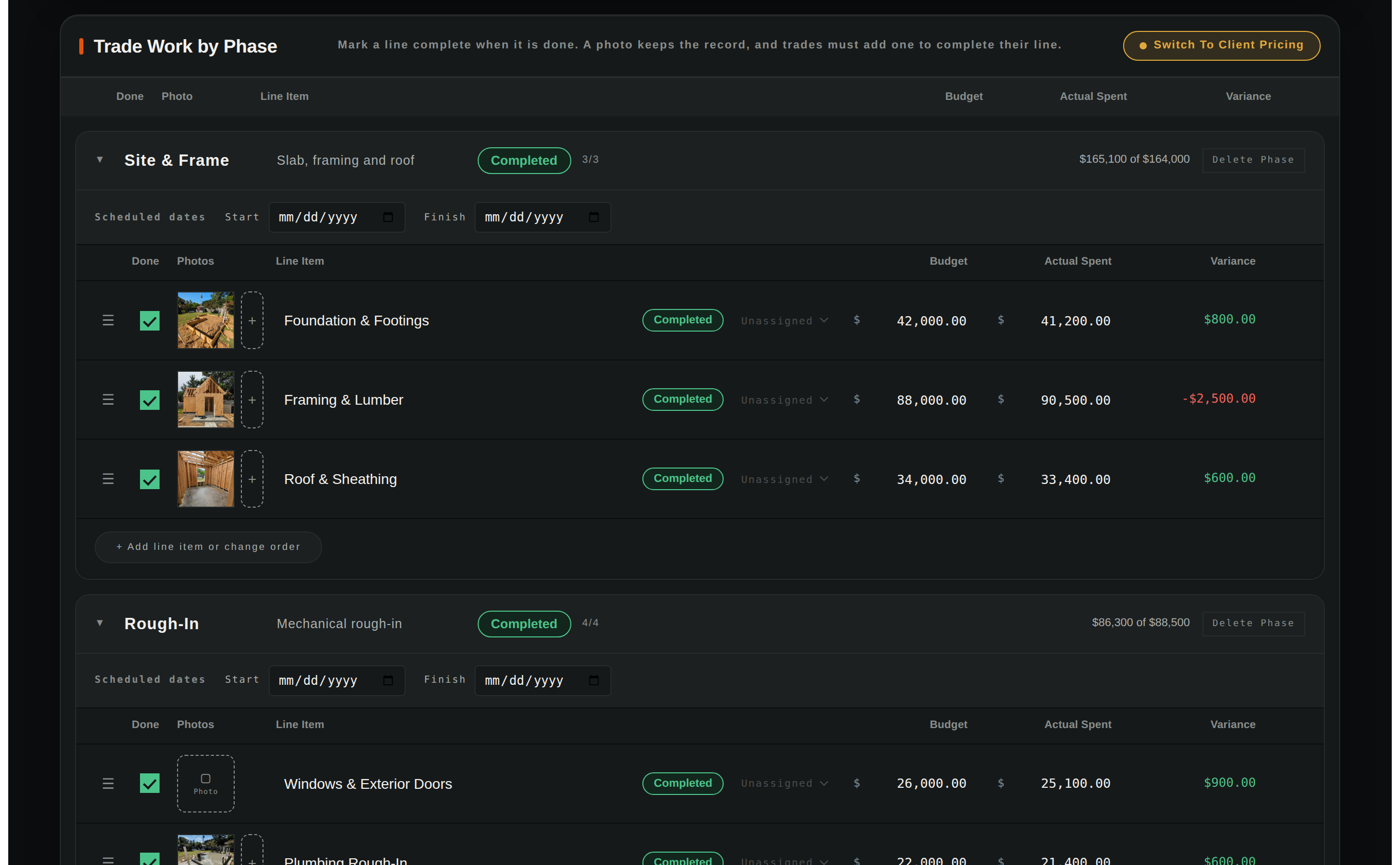
Every dollar against budget, with the photo beside it
Spent against budget on every phase, over-budget lines flagged in red, and the completing photo sitting right next to the money. That is what your lender and your buyer both want to see.
The deal, from first call to signed contract
Every prospect in one pipeline — where they came from, what the job is worth, and the next step you owe them. Watch it move from a proposal to a won build without a spreadsheet or a sticky note in sight.